
 Simulator Robot: An Object Simulator and Ground-Truth Data Collector for CV Analysis Validation & Calibration
Published:
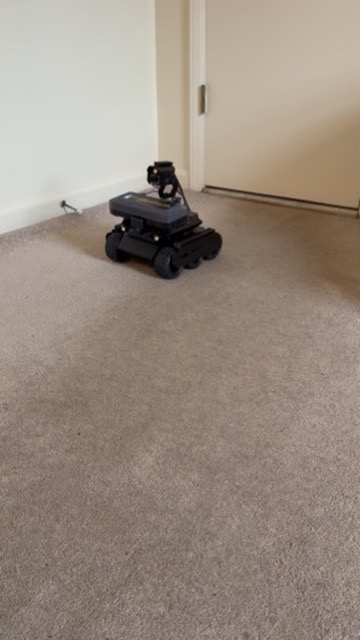
You can’t ask a animals to walk a known path at a known speed so that a tracking camera can be checked against it. A rover can. I built the Simulator Rover Robot as a controllable stand-in for animal inside a farm house: it drives itself around the floor using printed AprilTag landmarks bolted to the walls, and because it always knows its own position in real-world inches, every trip it makes is a ground-truth trajectory. That trajectory is exactly what’s needed to calibrate pen cameras and standardize how a computer-vision pipeline tracks objects’ movements in the same space.
The video above walks through the laptop dashboard that pairs with the rover — driving it live, watching telemetry stream in, and replaying a logged trip for offline data analysis.
Why simulate a chicken with a rover
Camera-based animal tracking in a farm house has no reliable ground truth to check itself against — you can’t put a ruler on a moving animal, and hand-labeling video is slow and still just an estimate. The rover solves that by being an animal that reports its own exact position:
- It bolts a handful of
tag36h11AprilTags to walls/posts at known(x, y)coordinates — a simpletags.jsonmap of the pen. - Its onboard camera detects tags every frame and computes distance and bearing to each one, fused with wheel odometry so it always knows where it is, even between tag sightings.
- Every run produces a logged path in real-world inches, independent of whatever the overhead/wall cameras think they’re seeing.
Drive the rover through the same pen the tracking cameras are watching, and you get two records of the same physical path: the rover’s own tag-based localization (ground truth) and the camera pipeline’s tracked estimate. Comparing the two is how pen cameras get calibrated and how an animal-tracking algorithm gets validated and standardized before it’s trusted on live animals.
The sample floor plan baked into the dashboard is sized for a broiler house (484 in × 258 in) with 16 wall-mounted landmark tags and drinker/feeder lines overlaid — the same genetics context behind the broiler work I’m doing in the ISP Lab.
Building the rover
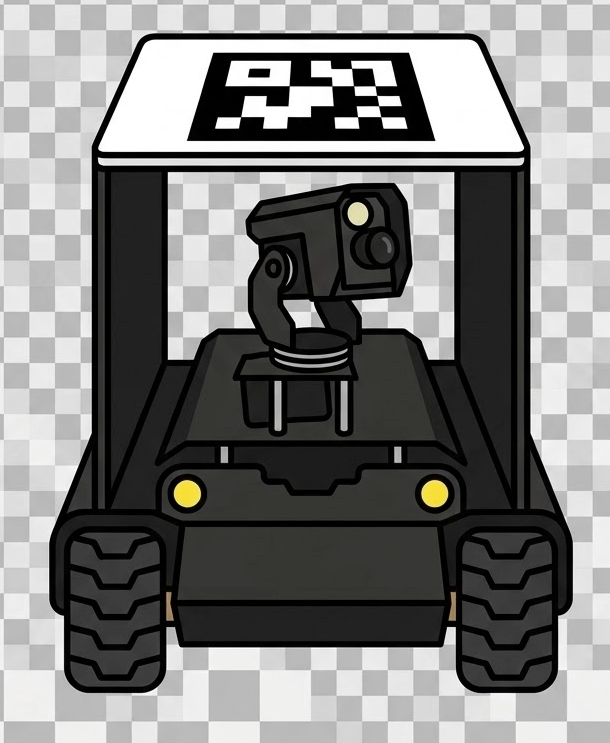
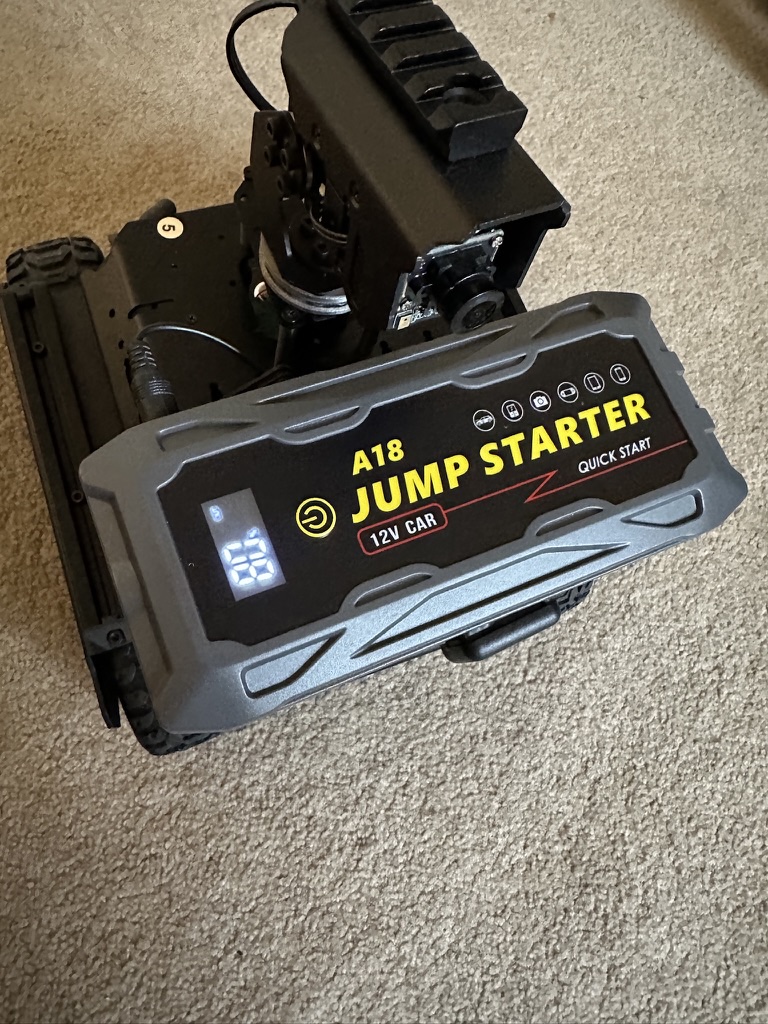
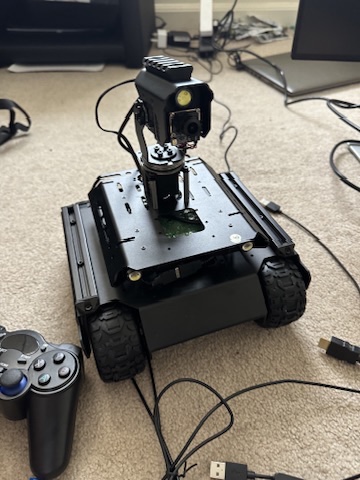
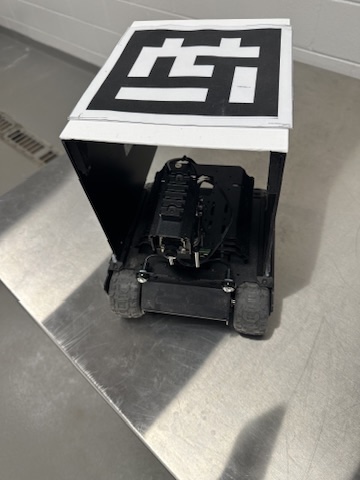
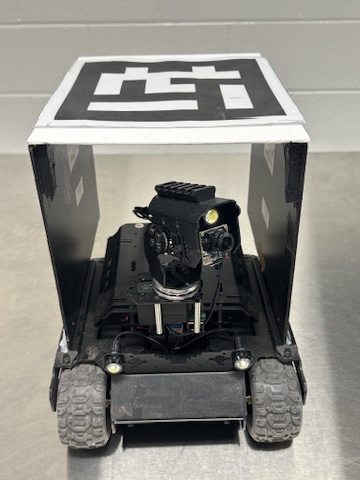
The chassis is a small tracked platform with a Raspberry Pi and a pan/tilt camera gimbal on top, powered off a jump-starter battery pack for untethered runs in the field. A printed AprilTag is mounted flat on the lid so the rover itself can be sighted and tracked by an external overhead camera, in addition to the tags it reads off the walls.
Chassis and compute. A tracked platform with the Raspberry Pi mounted directly to the frame — the brain for tag detection, gimbal tracking, and drive-to-tag navigation.
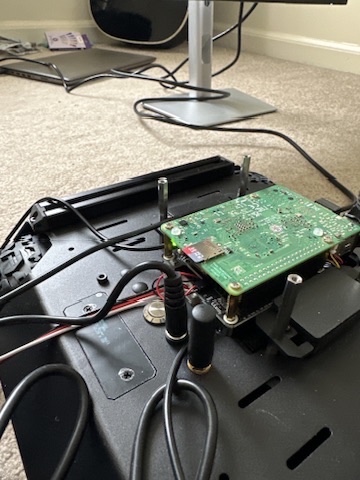
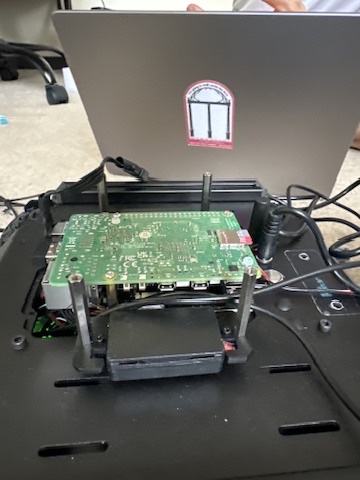
Power and gimbal. Untethered runs matter for field data collection, so the rig runs off a 12V jump-starter pack instead of a tether, with the pan/tilt camera gimbal wired alongside it and a wireless controller for manual teleop.
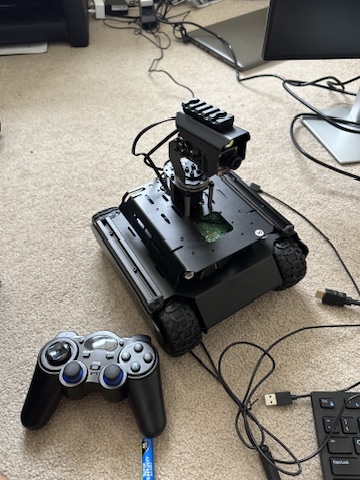
AprilTag lid and finished unit. A printed AprilTag sits flat on the lid so an external overhead camera can sight and track the rover itself, on top of the tags the rover reads off the walls.
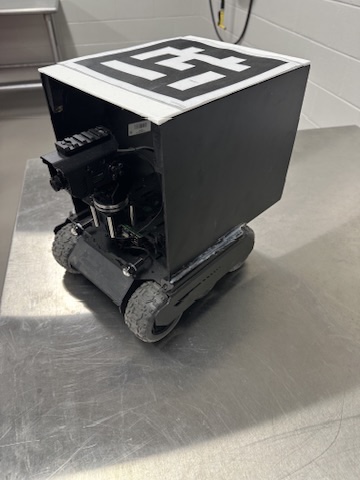
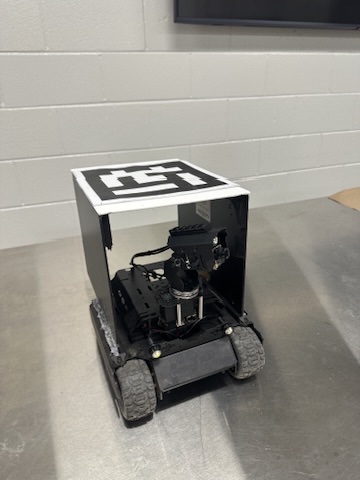
Control is a Flask laptop app talking to a Waveshare-style JSON API on the rover and proxying to a set of Raspberry Pi services — tag detection, gimbal tracking, drive-to-tag navigation, and a follow-me mode — so the laptop never needs to reach the motor controller directly. Driving is either manual (on-screen buttons, keyboard, or an Xbox controller) or autonomous drive-to-tag, arcing to keep the target tag centered and ramping down speed on approach.
The laptop dashboard: calibration and data analysis
This is the part shown in the video above. The dashboard isn’t just a remote control — it’s where a run gets turned into usable calibration data. The most useful output for calibration work is the dwell-time heatmap: the logged path is resampled and accumulated onto the pen floor plan, smoothed, and rendered on a blue-to-red scale so the spots where the rover lingered — corners, turnarounds, feeder/drinker lines — pop out visually against the tag landmarks.
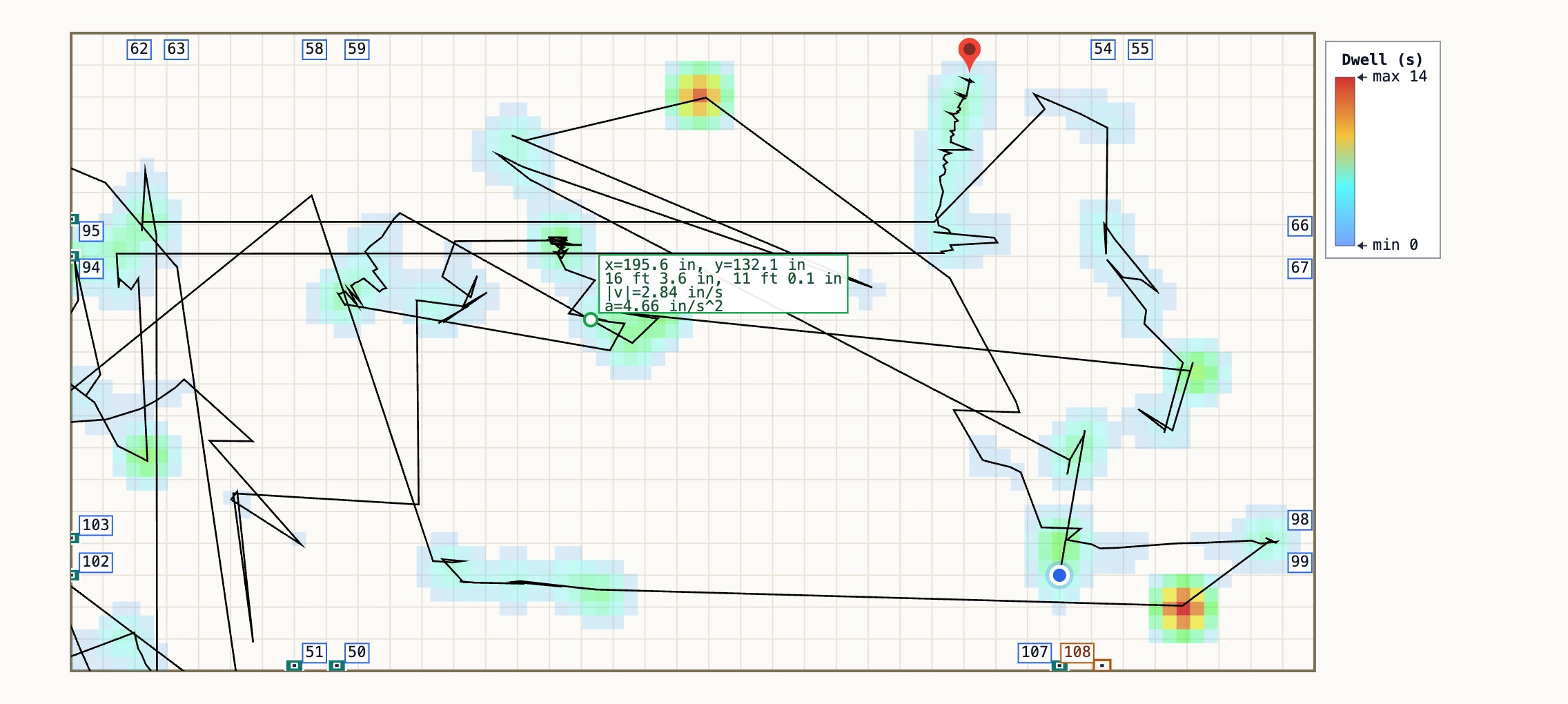
It also polls the rover for live telemetry while driving, then rolls a full run into a trip report: distance traveled, average and peak speed, total turn, and elapsed time, alongside seven synced kinematics charts.
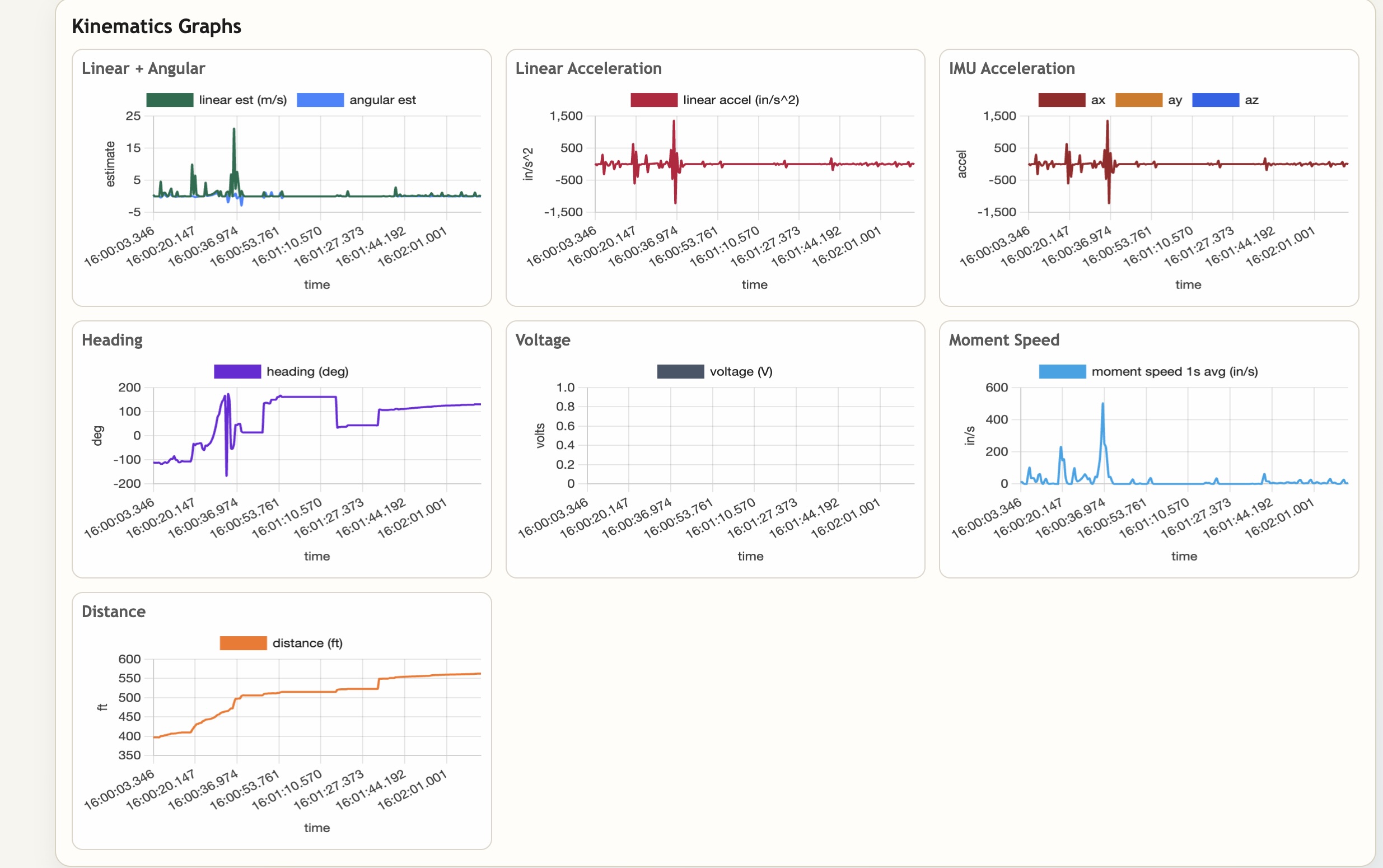
Because a tag_nav.py log can be pasted or loaded after the fact, none of this requires a live connection — a run recorded on the rover out in the pen gets analyzed later on any laptop. That’s what makes it practical as a calibration tool: record a rover pass with known ground-truth positions, then run the pen’s animal-tracking pipeline over the same footage and line the two trajectories up to check where the tracking drifts, where camera coverage has blind spots, and whether tracked speed/heading numbers hold up against the rover’s own IMU and odometry.
Why this matters for animal tracking
A tracking pipeline that’s only ever been checked against itself can look accurate and still be wrong in ways that only show up against real geometry. Driving a known object on a known path through the same cameras used to watch live animals turns “does the tracker look right” into “does the tracker agree with ground truth, in inches, frame by frame” — which is what standardizing a animal-tracking behavior pipeline across pens and camera setups actually requires.